How to Switch Cold Email Mailbox Providers Without Losing Deliverability
inboxy team · · 8 min read
Most cold email teams change mailbox provider at least once. The new one is cheaper, or easier to manage, or connects to your sequencer without a support ticket. The worry is always the same: will switching undo months of warmup and drop your reply rate for weeks?
It doesn't have to. Your sender reputation lives mostly in your domains and in how your mailboxes have behaved, and a careful move keeps the first and rebuilds the second on purpose instead of by accident. This guide covers what actually carries over when you switch, the two ways to do it, and a step-by-step plan that keeps campaigns running while you move.
What carries over when you switch, and what doesn't
Before you plan anything, be clear about what you keep and what starts again.
| Carries over | Starts again | |
|---|---|---|
| Domain reputation | Yes, if you keep the same domains | Only if you move to new domains |
| Mailboxes and their history | No | New mailboxes, new warmup |
| SPF, DKIM and DMARC records | The domain stays, the records change | New SPF include and a new DKIM key |
| Leads, sequences and suppression lists | Yes, they live in your sequencer | Only the sender attached to each lead |
| Old reply threads | Only if you export them | Deleted with the old mailboxes |
The short version: a mailbox is not something you can pick up and move. When you change provider you get new mailboxes, and new mailboxes need warming, even on a domain that has been sending for a year. Plan for that and the switch is routine. Ignore it and you end up sending full volume from cold inboxes, which is the usual reason a migration "breaks deliverability".
The two ways to switch
Option 1: keep your domains, replace the mailboxes
You move the same domains to the new provider and create fresh mailboxes on them. The domains keep their history, which is the most valuable part of your setup.
The catch is timing. Google Workspace only lets a domain be active in one Workspace account at a time, so to set a domain up with a new provider, it usually has to be removed from the old account first. That means the old mailboxes on that domain stop working before the new ones exist, and the new ones then need two to four weeks of warmup before they carry real volume. During that gap the domain sends nothing, or very little.
That is fine if you move a few domains at a time. It is a problem if you move all of them at once.
Option 2: new domains on the new provider, run both side by side
You buy new lookalike domains, set them up with the new provider, warm them while your old mailboxes keep sending, then shift volume across and retire the old setup.
There is no sending gap, and nothing on the old side is touched until the new side is ready. The trade-off is that new domains start with no history, so they need the full warmup and a gentle ramp, and you pay for both setups during the overlap.
Which one to choose
- Your domains are healthy and you can move in waves: keep the domains. Their history is worth keeping.
- Some domains are already struggling: this is a good moment to retire them. Move the healthy ones and replace the rest with new domains. Our guide to checking whether you're landing in spam helps you sort them.
- You can't afford any drop in volume: run new domains side by side, then move the old domains across later, in waves, once the new ones carry the load.
Most teams end up with a mix: a first wave of new domains to keep volume steady, then the existing domains moved a few at a time.
Before you move anything
Spend an hour on an inventory. It saves days of guessing later.
- List every domain and mailbox, with the sequencer campaigns each mailbox sends for, its daily volume, and how it is doing. Reply rate per mailbox is the best health signal you have. Bounces and spam complaints come next.
- Note every DNS record you rely on. SPF, DKIM and DMARC, but also the redirect to your main website, any custom tracking domain, and the address in your DMARC
ruatag if you collect reports. If the new provider takes over DNS for the domain, these need to come across too. - Check where each domain is registered and who has the login. Domains bought years ago on a forgotten account are the most common reason a migration stalls.
- Export what lives only in the mailboxes. Reply threads, meeting confirmations and anything a rep might need later. Your sequencer usually holds the lead and reply history, but check before the old mailboxes are deleted.
- Decide the order. Move your weakest or least important domains first. If something goes wrong, you learn on the domains that matter least.
Step-by-step: switching in waves
The safest plan moves a share of your sending at a time, so most of your mailboxes are always sending normally. Here is the sequence for each wave.
1. Pick the wave
Choose a group of domains, for example a quarter of them. The rest keep sending as usual. If you are adding new domains, buy them now so they have a little age before the first send.
2. Stop new leads going to the mailboxes you are moving
In your sequencer, stop adding new leads to the mailboxes in this wave, but let them finish the steps already scheduled, or move those leads to mailboxes that are staying. Changing the sender halfway through a sequence breaks the thread: the follow-up arrives from a new address and reads like a new cold email. If a lead has to move, let it start fresh rather than send step three from a stranger.
3. Set up the new mailboxes
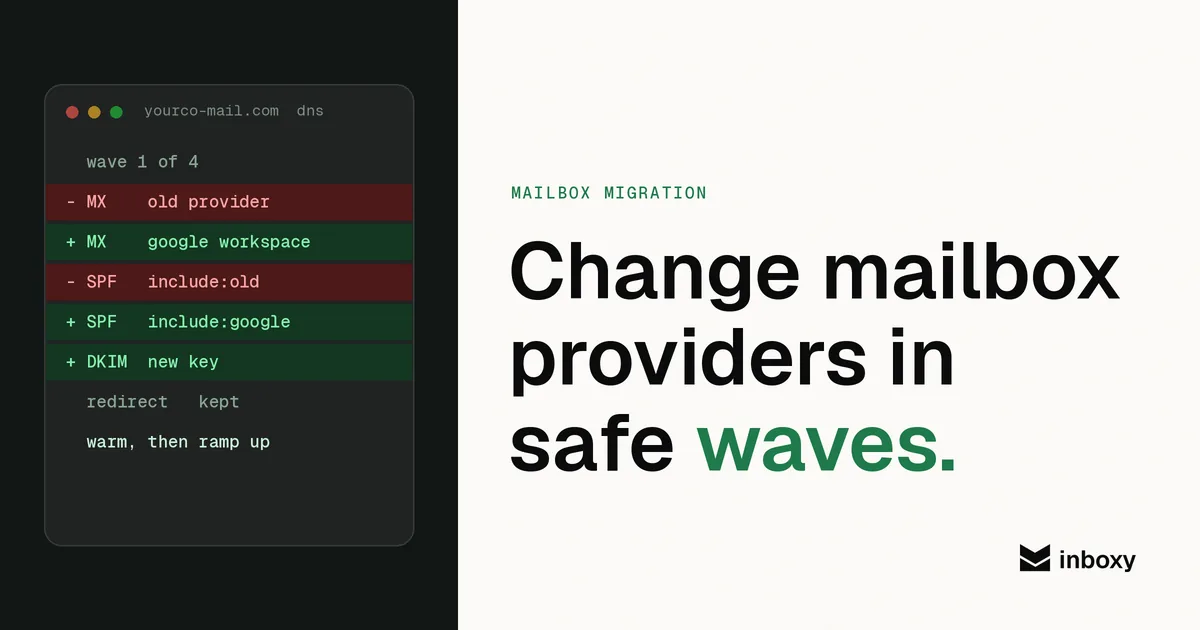
Create the mailboxes on the new provider, two or three per domain, with real names and a profile photo. Publish SPF, DKIM and DMARC for the new setup and remove the old provider's SPF include and DKIM record once the old mailboxes are gone. Two SPF records on one domain, or an include that no longer points anywhere, are easy mistakes to make during a move. Our SPF, DKIM and DMARC setup guide covers the records.
Put the website redirect and tracking domain back if DNS moved, and check them in a browser.
4. Warm before you send
New mailboxes need two to four weeks of warmup, whether the domain is new or a year old. Keep warmup running after campaigns start, too. Our guide to how long warmup takes explains what to watch.
5. Test placement, then connect
Before real campaigns, run an inbox placement test from a few of the new mailboxes. If they land in the inbox at Gmail and Outlook, connect them to your sequencer.
6. Ramp up slowly
Start the new mailboxes on a handful of cold emails a day and step up over the next couple of weeks to your normal 30 to 50 per inbox. Watch replies, bounces and complaints per mailbox, not just per campaign, so one bad inbox doesn't hide in the average. Google Workspace sending limits are far above this; the ceiling that matters is the one that keeps you in the inbox.
7. Retire the old mailboxes, then start the next wave
Once the new wave sends at full volume with stable reply rates, cancel the old mailboxes for those domains and move on to the next group. Keep the old provider account until the last wave is done.
A sample timeline
For a team moving everything in four waves, a realistic plan looks like this:
- Week 1: inventory, buy any new domains, set up wave one, start warmup.
- Weeks 2 to 4: wave one warms while everything else sends normally. Set up wave two near the end.
- Weeks 4 to 6: wave one ramps up, wave two warms.
- After that: repeat until the old setup carries nothing, then close it.
Moving faster is possible if you accept a dip in volume. Moving everything in one weekend almost always costs more than the few weeks it saves.
Mistakes that make a switch hurt
- Sending full volume from day one. The domain may be old, but the mailboxes are new. Warm and ramp every one.
- Leaving old DNS records behind. A stale SPF include or DKIM key is a quiet authentication failure. Check SPF, DKIM and DMARC after every wave.
- Forgetting the redirect and tracking domain. When DNS moves, these are the records people forget, and you only notice when a prospect lands on an error page or links stop working.
- Switching senders mid-sequence. Finish or restart sequences rather than continue them from a new address.
- Moving the best domains first. Start with the ones you can afford to get wrong.
- Judging the switch on open rates. Opens are unreliable. Compare replies per mailbox before and after.
Agencies: switch one client at a time
If you run cold email for several clients, move them one at a time and tell each client before their wave starts. Keep each client's domains, mailboxes and billing apart on the new provider so one client's problem never touches another. In inboxy, every workspace has its own domains, mailboxes, subscriptions and invoices, so each client can sit in its own workspace from the start.
Where inboxy fits
If you are switching to inboxy, most of the setup work in step 3 is done for you. Connect your registrar once with an API key and inboxy lists your domains, sets the nameservers and configures SPF, DKIM and DMARC. Mailboxes connect to sequencers such as Instantly and Smartlead for free. Mailboxes are delivered new, not pre-warmed, so the warmup and ramp in steps 4 to 6 still apply, and warmup is available as a separate per-inbox subscription. See registrar import for the supported registrars.
Skip the setup
inboxy creates Google Workspace mailboxes on your cold email domains with SPF, DKIM and DMARC already configured, connects them to your sequencer for free and keeps them warm, at a flat $3 per mailbox a month. See pricing.